DROP,
PLAY,
ENJOY !!!
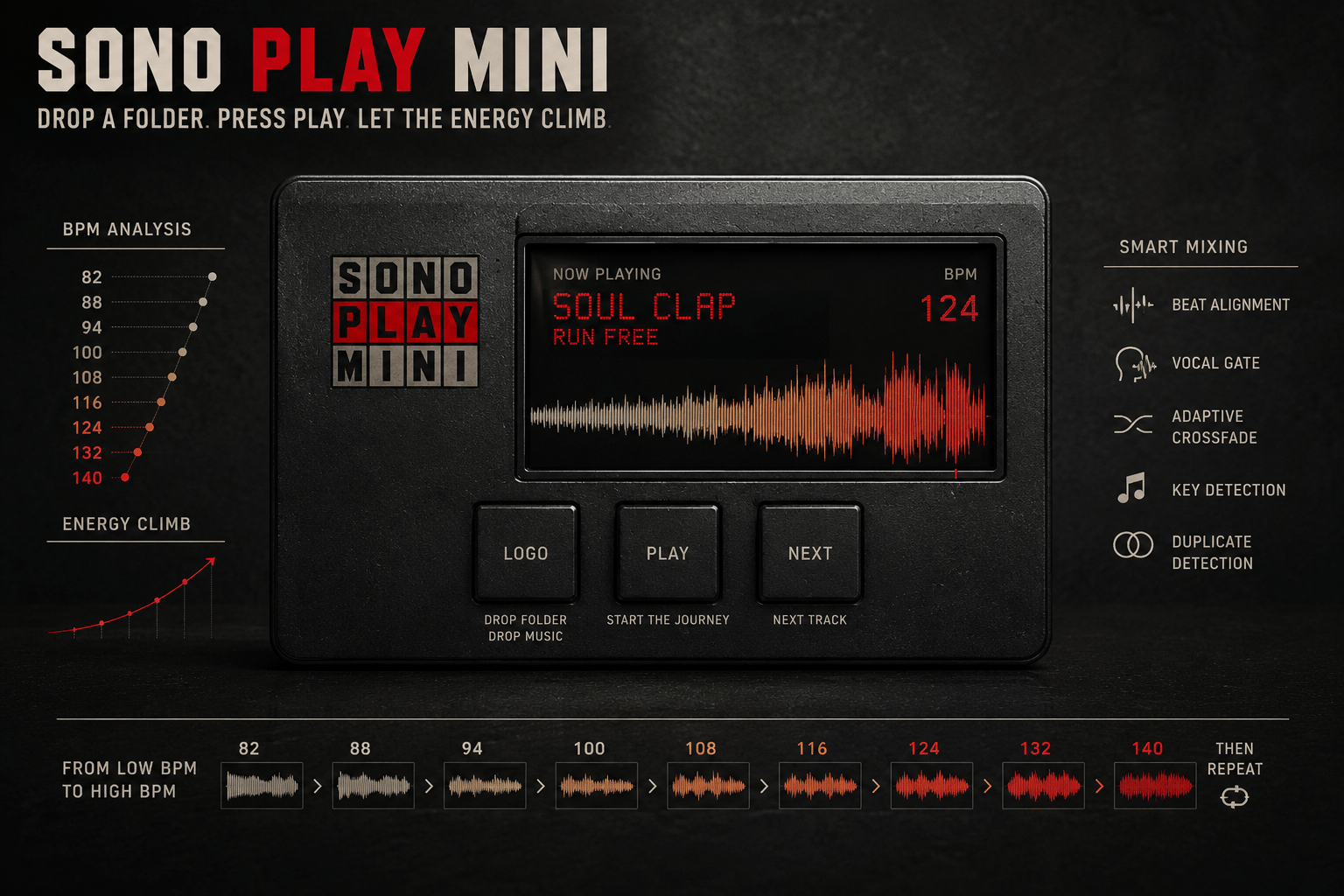
A tiny intelligent music machine for local files.
UN DOSSIER. PLAY. LA MACHINE S’OCCUPE DU RESTE.
SONO PLAY MINI est un lecteur musical intelligent pour macOS.
Il analyse vos morceaux, comprend leur BPM et construit une progression
du plus lent au plus rapide.
La lecture commence. L’énergie monte.
UNE PLAYLIST QUI COMPREND L’ÉNERGIE
SONO PLAY MINI transforme un dossier de sons en trajectoire musicale.
Chaque fichier est analysé, son BPM est estimé et normalisé,
puis la sélection est ordonnée du plus calme au plus rapide.
À la fin du morceau le plus rapide, le cycle repart depuis le plus calme.
Un titre ne revient pas avant que les autres morceaux du cycle aient été joués.
DROP MUSIC AT ANY TIME
Glissez de nouveaux morceaux sur le logo pendant que la musique tourne.
Le premier fichier déposé devient le prochain morceau.
Les suivants sont immédiatement analysés puis se fondent automatiquement
dans la playlist, à la bonne place dans la progression de BPM.
CE QUE LA MACHINE ÉCOUTE
BPM GLOBAL
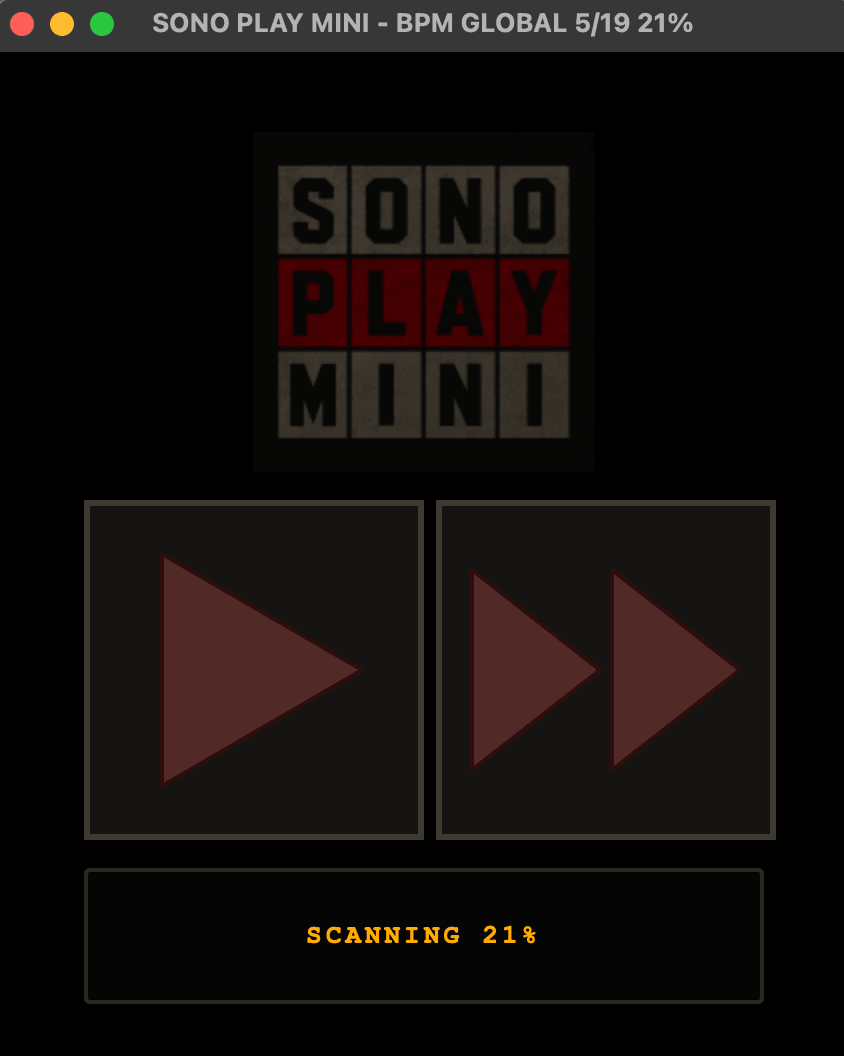
Analyse distribuée sur plusieurs zones du morceau pour obtenir
un tempo global plus robuste et limiter les erreurs half/double BPM.
FIRST BEAT
Détection du premier beat significatif pour construire
un point de départ rythmique interne.
KEY
Estimation locale de la tonalité pour ajouter
une information harmonique aux transitions.
VARIABLE TEMPO
Repérage des morceaux disco, funk, live ou organiques
dont le tempo bouge réellement.
DUPLICATES
Détection automatique des doublons avec conservation
de la meilleure copie.
LOUDNESS
Nettoyage sub-bass, high cut, compression douce
et normalisation de volume pendant la lecture.
LE MIX
BEAT ALIGNMENT
Lors d’un crossfade, SONO PLAY MINI utilise le BPM et le premier beat
détecté sur les deux morceaux. Le déclenchement peut être déplacé
jusqu’à environ un demi-beat pour commencer la transition en phase.
VOCAL GATE
La machine cherche les zones où la présence vocale est la plus faible
afin de construire des transitions plus propres.
ADAPTIVE CROSSFADE
La durée du crossfade dépend du rapport entre les tempos et du contenu
détecté dans les zones de transition. Les mixes restent courts,
jusqu’à environ 12 secondes.
CONTINUITÉ
Le morceau suivant peut être préparé légèrement en avance
pour absorber le temps de lancement du player et garder
la lecture continue.
GUIDE D’UTILISATION
AVANT DE TÉLÉCHARGER
La version macOS actuelle de SONO PLAY MINI est conçue pour les
Mac Apple Silicon : M1, M2, M3, M4 et suivants.
Elle ne fonctionne pas encore sur les anciens Mac Intel.
SONO PLAY MINI n’est pas encore signé et notarized par Apple.
Si macOS bloque l’application au premier lancement :
clic droit sur SONO PLAY MINI → Ouvrir → Ouvrir.
Si cela ne suffit pas, ouvrez Terminal et entrez :
xattr -dr com.apple.quarantine "/Applications/SONO PLAY MINI.app"
Mac Intel ou PC ?
Utilisez directement la
VERSION NAVIGATEUR
.
Le premier sera joué ensuite, les autres rejoignent automatiquement le flux.
Formats :
MP3 · WAV · FLAC · AIFF · AAC · M4A · MP4
COMMENT NOUS L’AVONS FABRIQUÉ
SONO PLAY MINI est né comme un
Software Born Tool :
partir d’un comportement désiré, produire un objet fonctionnel,
l’écouter, le corriger et recommencer.
Le développement associe
Python, PySide6/Qt, FFmpeg, FFprobe et FFplay.
Conception produit et direction artistique : Xavier Faltot.
Développement : Codex, l’assistant de programmation d’OpenAI.
Projet : RUSH OPERATOR.
VERSION EN LIGNE / PC / MAC INTEL
Pas besoin d’installer l’application :
SONO PLAY MINI peut aussi fonctionner directement dans le navigateur
.
Cette version est notamment destinée aux
PC et Mac Intel,
ou simplement à ceux qui préfèrent ne rien installer.
Vous choisissez ou glissez vos fichiers audio depuis votre ordinateur ;
ils sont lus et analysés localement par le navigateur.
Vos MP3 ne sont pas uploadés sur notre site,
ne sont pas stockés sur un serveur
et ne quittent pas votre ordinateur.
DOWNLOAD / SUPPORT
SONO PLAY MINI est disponible gratuitement.
Application macOS :
Mac Apple Silicon M1 / M2 / M3 / M4 et suivants.
Version navigateur :
PC, Mac Intel et autres ordinateurs compatibles.
DOWNLOAD MAC — APPLE SILICON ↓
PLAY ONLINE / PC / INTEL ↗
ONE FOLDER. PLAY. THE MACHINE DOES THE REST.
SONO PLAY MINI is an intelligent music player for macOS.
It analyzes your tracks, understands their BPM and builds
a progression from slower to faster.
Playback starts. The energy climbs.
A PLAYLIST THAT UNDERSTANDS ENERGY
SONO PLAY MINI turns a folder of sounds into a musical trajectory.
Each file is analyzed, its BPM is estimated and normalized,
then the selection is ordered from the calmest track to the fastest one.
After the fastest track, the cycle starts again from the calmest.
A title is not repeated before every other title in the cycle has played.
DROP MUSIC AT ANY TIME
Drop new tracks onto the logo while the music is running.
The first dropped file becomes the next track.
The others are analyzed immediately and automatically blended
into the playlist at the right place in the BPM progression.
WHAT THE MACHINE LISTENS TO
GLOBAL BPM
Distributed analysis across several parts of the track
for a more robust whole-track tempo estimate and fewer
half/double BPM errors.
FIRST BEAT
Detection of the first significant beat
to create an internal rhythmic starting point.
KEY
Local key estimation adds harmonic information
to the transition process.
VARIABLE TEMPO
Flags disco, funk, live and organic tracks
whose tempo genuinely moves.
DUPLICATES
Automatic duplicate detection keeps
the best-quality copy in the flow.
LOUDNESS
Playback-only sub-bass cleanup, high cut,
gentle compression and loudness normalization.
THE MIX
BEAT ALIGNMENT
During a crossfade, SONO PLAY MINI uses both tracks’ BPM
and detected first beat. The trigger can be nudged by up to
roughly half a beat so the transition begins in phase.
VOCAL GATE
The machine searches for transition regions with less vocal energy
to build cleaner passages.
ADAPTIVE CROSSFADE
Crossfade length adapts to the tempo relationship
and the content found in the transition regions.
Mixes stay short, up to roughly 12 seconds.
CONTINUITY
The next track can be prepared slightly early
to absorb player launch latency and keep playback continuous.
HOW TO USE IT
BEFORE DOWNLOADING
The current macOS version of SONO PLAY MINI is built for
Apple Silicon Macs: M1, M2, M3, M4 and later.
Intel Macs are not supported yet.
SONO PLAY MINI is not yet Apple-signed and notarized.
If macOS blocks the app the first time:
Right-click SONO PLAY MINI → Open → Open.
If that still doesn’t work, open Terminal and run:
xattr -dr com.apple.quarantine "/Applications/SONO PLAY MINI.app"
Intel Mac or PC?
Use the
BROWSER VERSION
instead.
and moves toward faster tracks.
The first becomes the next track,
the others automatically join the flow.
Formats:
MP3 · WAV · FLAC · AIFF · AAC · M4A · MP4
HOW WE BUILT IT
SONO PLAY MINI was created as a
Software Born Tool:
start from a desired behaviour, make a working object,
listen to it, modify it and repeat.
The project combines
Python, PySide6/Qt, FFmpeg, FFprobe and FFplay.
Product conception and art direction: Xavier Faltot.
Development: Codex, OpenAI coding assistant.
Project: RUSH OPERATOR.
ONLINE / PC / INTEL MAC VERSION
No installation required:
SONO PLAY MINI can also run directly in your browser
.
This version is particularly useful for
Windows PCs and Intel Macs,
or for anyone who simply doesn’t want to install anything.
Choose or drop audio files from your computer
and the browser reads and analyzes them locally.
Your MP3s are not uploaded to our website,
are not stored on a server,
and never leave your computer.
DOWNLOAD / SUPPORT
SONO PLAY MINI is available free.
macOS application:
Apple Silicon M1 / M2 / M3 / M4 and later.
Browser version:
PC, Intel Mac and other compatible computers.
DOWNLOAD MAC — APPLE SILICON ↓
PLAY ONLINE / PC / INTEL ↗

Un e-mail de confirmation vous attend après l’inscription, et la désinscription se fait en un clic depuis chaque lettre.